

API keys and OAuth: whose app access are you using?
Separate your server's platform credential from the customer's app connection before designing the first embedded integration.
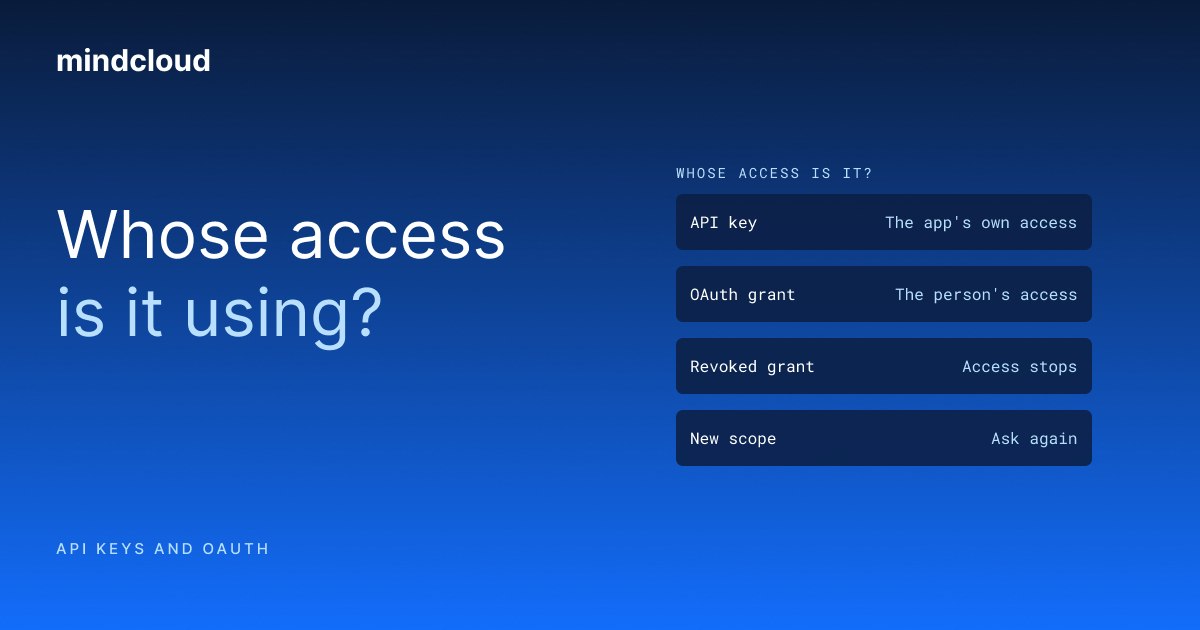
An API key identifies a caller to a service. OAuth is an authorization framework through which an application can obtain limited access to another service. In an embedded integration, your server's credential and your customer's app connection serve different jobs, even when both are involved in the same request.
The distinction matters before you build the first connection screen. Your product needs to know which signed-in customer owns the request, which app account they connected and what the requested action is allowed to do.
The OAuth definition here follows RFC 6749, the OAuth 2.0 authorization framework specification. This post covers the application design around customer connections. It does not prescribe an OAuth implementation.
Your platform key is not the customer's app account
In the Embedded MCP (Model Context Protocol) model described in our docs, a server-side key identifies your organization to MindCloud. An end-user record represents the customer in your product. Their connected app account is the account the tool should use for that customer's work.
Those identities need to remain distinct in your application. A valid server credential does not tell you that a request from the browser belongs to the customer identifier it supplies.
The current docs put the key rule plainly. Your backend uses the key to create end users and call server APIs, and the key never goes in a browser page or a mobile app. Where a frontend needs access, your server gets an end-user token and passes that token instead.
Your server should derive the relevant customer identity from the authenticated session and look up the stored end-user mapping. The model's output is not an authority for choosing another customer's context.
Follow one request through the boundaries
Consider an illustrative customer asking your agent to post a summary to their team's Slack channel. Your product authenticates the person, identifies their end-user record and establishes the app-access context for that request.
The agent then needs a connected Slack account with the right permissions and a channel the customer intends to use. A channel name may need to be resolved into an identifier. An ambiguous match needs a decision, not an invented ID.
After the write, your product needs enough traceability to explain what happened for that customer. All requests coming from the same backend do not make the records interchangeable across customers.
An app may offer different connection methods
Some providers support an API key, some use an OAuth flow and some offer more than one method. Check the provider and the current action catalog rather than assuming one connection method applies to every app.
The sign-in method also does not settle the account's permissions. A connection can succeed while the account lacks access to a specific record or operation. Design the failure path so that a denied request is distinguishable from a legitimate empty result.
Where the platform provides a hosted connection link, treat it as part of the connection process rather than ordinary content to retain or expose broadly. Check its documented lifetime and intended recipient, and keep it tied to the same customer session.
Keep credentials out of the conversation
The model can choose an action without receiving your server's secret key. Keep the credential in the server-side environment and send it through the documented transport, not in the customer's prompt or a generated message.
Likewise, application logs and examples should not become a second credential store. Use test identifiers in documentation and review what is recorded when a request fails.
These are responsibilities in your product design. A shared connection layer can remove repeated provider plumbing, but it does not know every permission decision your own product needs to enforce.
Plan connection recovery as part of the feature
A disconnected app should produce a clear next step for the customer. It should not look like a report with no records or an action that quietly succeeded.
After reconnection, confirm that the account is the intended one before continuing a sensitive write. Your application also needs a deliberate policy for abandoned requests: whether to resume, ask again or start a new action.
Keep that behavior separate from automatic retries. A temporary network failure, missing authorization and a business validation error call for different responses.
What the shared layer does not decide
MindCloud's connection and action layer does not decide your product's business authorization policy. You still own which customer may request which operation, the approval experience and the records your application exposes.
Embedded MCP is in beta. Use the current docs as the contract and test customer isolation and failure paths in your own application before relying on the integration.
The Embedded docs set out the connection model, the end-user record and the failure states. Read them before you design your first connection screen.