What Company Does NetSuite Integration Best? 5 Providers Compared
Compare five NetSuite integration providers by who builds your integrations, who manages them after launch, and what's included in the price.
If you run NetSuite, sooner or later it needs to connect with other systems: your storefront, CRM, quoting tool, warehouse, or other business applications. Choosing a provider can be difficult because several companies offer similar integration capabilities but take different approaches to implementation and support.
The best NetSuite integration company depends on your team's needs. Celigo, Boomi, Workato, and Jitterbit offer platforms for building and managing integrations, with varying implementation and service options. MindCloud, which publishes this guide, takes a full-service approach: our in-house team builds, monitors, and maintains your integrations.
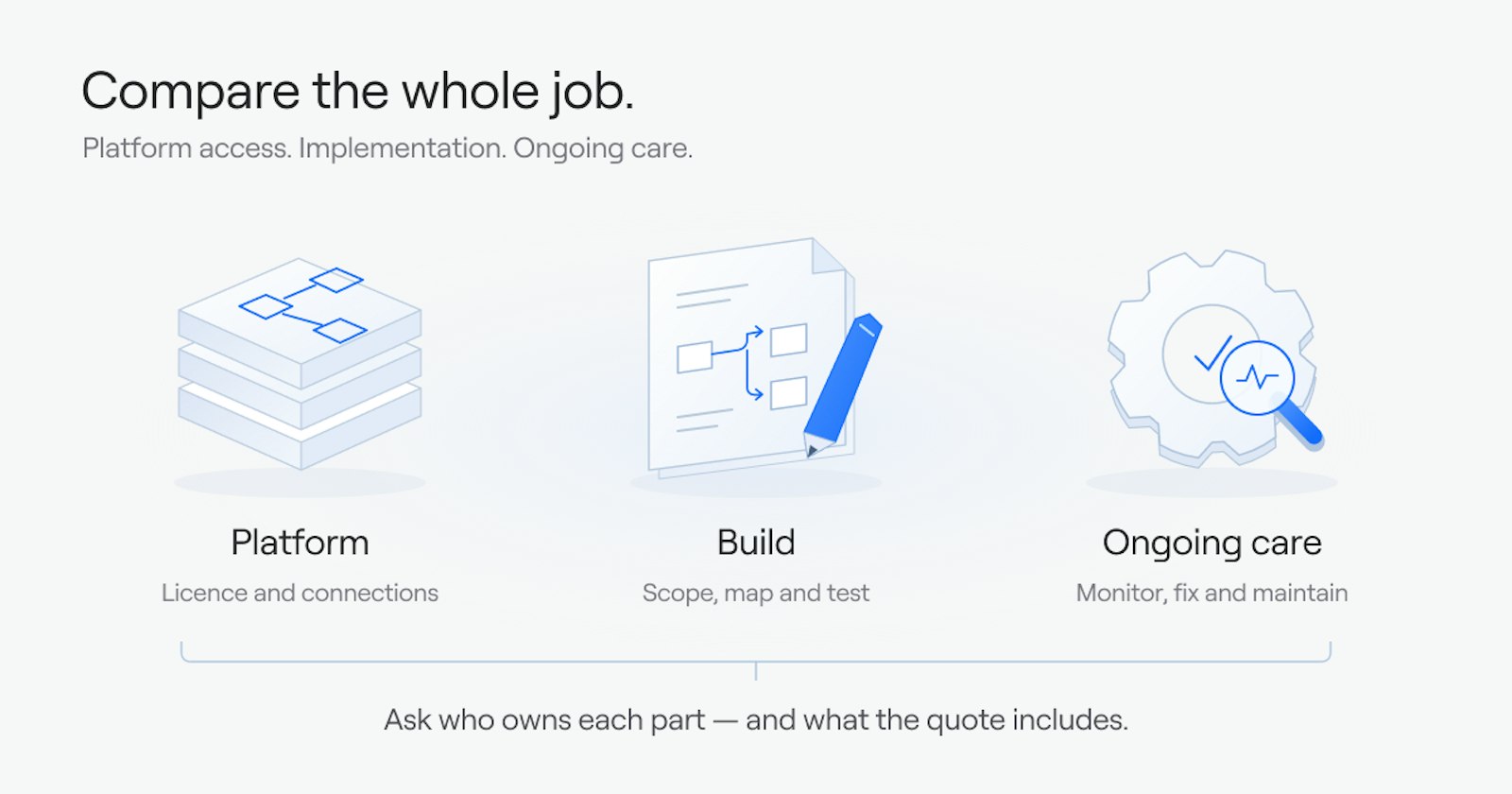
The difference isn't just which systems each provider can connect. It's who handles the work, what happens when something breaks, and what you'll pay to keep everything running. Choosing NetSuite integration software isn't the same as choosing who will make the integration work.
Five Questions to Ask Any NetSuite Integration Provider
Before you compare providers, be clear about what your business needs from one.
1.Who builds the integration?
Some providers offer software your team can use to build integrations. Others provide implementation services or work with partners. Ask who gathers requirements, maps your fields, tests workflows, and approves the finished integration.
2.Who runs it after launch?
Integrations need ongoing attention. APIs change, credentials expire, and business processes evolve. Find out who monitors transactions, investigates failures, and maintains workflows as your systems change.
3.What does the price cover?
The software subscription is only one part of the cost. Implementation, internal technical resources, support, and maintenance can add to the total. Ask what's included, what's optional, and what costs extra.
4.Who do you call when something breaks?
When orders stop flowing into NetSuite, you need a clear support process. Ask whether you'll work with your internal team, a service provider, or the software vendor. Confirm response times, escalation procedures, and who is responsible for fixing the problem.
5.Have they handled a NetSuite setup like yours?
Custom records, custom fields, SuiteScripts, and existing workflows can affect how data moves through NetSuite. Ask providers to explain how they would handle your specific processes, including failed transactions and unusual data requirements.
Five NetSuite Integration Providers Compared
All five providers offer ways to connect NetSuite with other business systems. Their strengths differ in how they support implementation, customization, automation, and ongoing operations.
1.MindCloud
What it is: Our in-house team builds and runs your integrations on our own platform, from scoping through launch and support.
Key strengths: One price covers the platform, the team that builds your integration, and the team that runs it. With a platform-led approach, implementation and ongoing management are usually bought separately.
Who builds it: Our solutions engineers gather your requirements, catch the edge cases, and write the plan you sign off. Our integrations team, about 20 builders and project managers, builds and tests until you approve it. We never outsource a build.
Who runs it after launch: A 10-person operations team monitors every integration, with retry logic and alerting on every production flow, and keeps it current as your systems change. You work with a dedicated person on Slack rather than a ticket queue.
What the price covers: One annual subscription covers the platform, hosting, the build, and the team that keeps it running, with dedicated support, a technical SLA, and three hours of professional services a month. Pricing is scoped to your systems, so ask us for a quote.
Best fit: Companies that want their NetSuite integrations built and run for them, without making integration a job for their own team. If you want to build some workflows yourselves, you can do that on the same platform with Cirra and still lean on our team.
Considerations: If your developers want to own and run every workflow themselves, a platform-led option may suit you better. Ask us how changes after launch are handled and what your monthly professional services hours cover.
2.Celigo
What it is: Celigo offers integrator.io, an integration platform with prebuilt integration apps, templates, and tools for creating custom workflows. It connects to NetSuite through the integrator.io SuiteApp.
Key strengths: Celigo's prebuilt integration apps give your team a starting point for common NetSuite workflows, which you can then configure to fit your processes.
Celigo also provides tools for monitoring integration jobs, managing errors, and modifying field mappings.
Who builds it: Customers can configure prebuilt integration apps or develop custom workflows. Celigo sells implementation, design, and optimization work separately through its professional services team, billed on a time-and-materials basis unless the statement of work says otherwise.
Who runs it after launch: Celigo provides monitoring and error-management tools in integrator.io, and its professional services team sells ongoing services. Ask whether those services include someone actively watching your production flows, or whether your team does that day to day.
What the price covers: Celigo prices its platform at a flat rate based on the number of endpoints and flows, rather than per task or transaction, across Standard, Professional, and Enterprise editions. Implementation and ongoing services are priced separately, so ask for a quote that covers all three.
Best fit: Businesses looking for prebuilt NetSuite integrations, particularly for common ecommerce and business application workflows, that also want the flexibility to configure and manage integrations.
Considerations: Prebuilt integrations can reduce setup work, but custom fields, unusual processes, and changes outside the standard integration may require additional configuration or technical resources.
3.Boomi
What it is: Boomi provides an enterprise integration platform for connecting cloud, on-premises, and hybrid systems. Its capabilities extend beyond application integration to areas such as API management, data management, and business process automation.
Key strengths: Boomi supports complex integration environments and provides a broad connector library, deployment options, mapping tools, and enterprise governance capabilities.
Its NetSuite connector works through NetSuite's SuiteTalk SOAP web services to create, retrieve, update, and delete records, for workflows involving financial records, sales orders, procurement, and other ERP data.
Who builds it: Organizations can use internal technical teams or work with Boomi implementation partners and specialists.
Who runs it after launch: Boomi provides monitoring, management, and support capabilities. The customer, an implementation partner, or another contracted service may take responsibility for daily workflow operations.
What the price covers: Boomi publishes its pricing, including a pay-as-you-go plan billed monthly plus usage, with other plans on different subscription terms. Ask for a quote that covers the platform, connectors, implementation, and any ongoing management services, and ask whether those services include anyone monitoring your production integrations.
Best fit: Organizations with complex technology environments that want one platform for NetSuite integrations, other enterprise applications, APIs, and broader data processes.
Considerations: Boomi's broad capabilities can be valuable for enterprise integration strategies, but buyers should assess the resources needed to implement, govern, and maintain their specific workflows.
4.Workato
What it is: Workato offers an enterprise automation and integration platform that connects applications and coordinates workflows across departments.
Key strengths: Workato is designed for business process automation across systems such as ERP, CRM, HR, and other enterprise applications.
Its workflow tools allow organizations to automate processes involving multiple applications, while its NetSuite connectors support actions involving ERP records and transactions.
Who builds it: Internal teams can develop workflows using Workato's platform. Implementation services and partner assistance may also be available.
Who runs it after launch: Workato provides tools for managing, monitoring, and troubleshooting workflows. Customers should establish who will own ongoing maintenance, updates, and issue resolution.
What the price covers: Workato charges a platform fee for its edition plus usage measured in Workato credits, with optional paid add-ons; some existing contracts are priced differently. RecipeOps, which monitors recipes and responds automatically to stopped recipes and failed jobs, depends on your plan and contract, so check that yours includes it.
Best fit: Companies that want to automate processes across several departments and business applications, with NetSuite forming part of a larger automation strategy.
Considerations: Businesses should understand how their workflow usage affects pricing and who will maintain automations as processes become more complex.
5.Jitterbit
What it is: Jitterbit provides integration and automation through its Harmony platform, with tools for connecting applications and managing data flows.
Key strengths: Jitterbit pairs visual integration design and reusable connectors with a Management Console, where your team monitors integrations and sets alerts.
Who builds it: Customers can develop integrations using Jitterbit's tools or obtain implementation help through professional services and partners.
Who runs it after launch: Your team, using the Management Console's monitoring and alerts. Jitterbit also sells Enhanced Services as annual subscriptions of 10, 30, or 60 hours a quarter, but those hours exclude real-time monitoring, new integration implementations, and Tier 1 support.
What the price covers: Jitterbit sells Standard, Professional, and Enterprise plans, quoted on request and billed on an annual contract. Ask whether implementation and any Enhanced Services hours are included in your quote.
Best fit: Businesses that want integration software with visual development tools and the flexibility to connect NetSuite with other applications.
Considerations: Because Enhanced Services hours don't cover real-time monitoring, decide before you sign who on your team, or which partner, will watch your integrations and fix failed transactions after launch.
NetSuite Integration Providers: Side-by-Side Comparison
The main difference between these providers isn't simply whether they connect to NetSuite. It's how the integration is delivered and who takes responsibility after launch.
Provider | Delivery Model | Who Implements It? | Who Manages It After Launch? | Pricing Structure | Ideal Customer |
|---|---|---|---|---|---|
MindCloud | Full-service integration | MindCloud's in-house team | MindCloud's operations team, within contracted scope | Scoped subscription covering platform and agreed services | Companies wanting one provider to build and manage integrations |
Celigo | Integration platform and prebuilt apps | Customer or implementation services | Customer and/or contracted services; Celigo maintains its prebuilt apps | Licensing and services vary by agreement | Teams seeking prebuilt NetSuite workflows and customization |
Boomi | Enterprise integration platform | Internal team or implementation partner | Internal team or contracted service provider | Subscription editions or usage-based options | Enterprises with broad integration and governance needs |
Workato | Enterprise automation platform | Internal team, services team, or partner | Internal team or contracted services | Platform fee, usage, and optional add-ons for applicable plans | Companies automating workflows across departments |
Jitterbit | Integration and automation platform | Internal team, professional services, or partner | Internal team or contracted services | Contract-dependent platform and service pricing | Teams wanting visual integration tools and flexibility |
Pricing, support, implementation, and management responsibilities depend on the selected products and contract terms. Confirm the scope of each proposal before comparing providers.
What Is the Total Cost of NetSuite Integration?
When comparing NetSuite integration providers, the software subscription doesn't tell the whole story.
A more useful way to evaluate cost is:
Total integration cost = Software + Implementation + Internal team time + Maintenance + Support
Each part can affect what your business spends.
Software and Implementation
Integration platforms may charge based on licensing, usage, connections, features, or a combination of these factors.
Implementation is another consideration. Even with prebuilt connectors, your business may need custom field mapping, testing, workflow changes, and help handling exceptions.
Ask whether implementation is included or quoted separately.
Internal Resources and Maintenance
A platform may give your team the tools to manage integrations, but someone still needs to use them.
Your developers or administrators may spend time reviewing failed transactions, adjusting workflows, updating credentials, and responding to changes in connected applications.
Those hours are part of the total cost, even when they don't appear on the software invoice.
Ongoing Support
Support can mean different things depending on the provider.
Some agreements focus on helping customers use the software. Others include hands-on troubleshooting or ongoing workflow management.
Before signing, ask who investigates failures, who makes changes, what response times apply, and which services carry additional charges.
The lowest software price isn't always the lowest total cost. Compare what each provider includes over the full life of the integration, not just the first year.
What Managed NetSuite Integration Looks Like in Practice
The difference between managing integrations internally and working with a full-service provider becomes clearer when you look at real customer examples.
Mojack: Reducing Order Processing Time
Mojack worked with MindCloud to automate order processing and product registrations in NetSuite.
"MindCloud has taken my order processing time and reduced it by 75%. Not only have they streamlined this order process, but they have automated our product registrations into NetSuite. We're looking forward to a long-term partnership as we expand our business."
— Jodie Loux, Controller, Mojack
Lionel Trains: Moving Away From Self-Managed Integrations
Lionel Trains previously used a self-managed integration platform to connect its business systems. Its team spent three to five hours each week maintaining workflows and troubleshooting issues.
We built and manage 11 automated workflows across Shopify, NetSuite, and More2, Lionel's marketing agency.
The integrations automate order creation, inventory updates, fulfillment information, financial reconciliation, and marketing data transfers.
According to the published case study, Lionel eliminated three to five hours of weekly integration maintenance by moving to our managed approach.
Read the Lionel Trains case study.
Both examples show how integration outcomes depend on more than software capabilities. The implementation approach and ongoing responsibility can also affect the work customers need to do.
Which NetSuite Integration Provider Is Right for Your Business?
Start by deciding how much of the technical work your team wants to own.
Choose a platform-led approach if your team wants control over building and managing integrations.
Celigo may be a strong option when prebuilt NetSuite integrations match your business processes and your team wants the flexibility to customize them.
Boomi may make sense for organizations with complex enterprise systems, hybrid environments, and broader integration or API management requirements.
Workato is worth evaluating when NetSuite is part of a larger effort to automate processes across departments.
Jitterbit may appeal to teams that want visual integration tools and the flexibility to manage their own workflows.
These platforms also offer varying levels of implementation assistance and support, so a platform-led approach doesn't necessarily mean handling everything alone.
Choose a full-service approach if your team wants someone else to manage the integration lifecycle.
Our full-service approach fits when you want one in-house team to scope, build, monitor, and maintain your workflows, so integration management doesn't become a job for your own staff.
Whichever way you lean, remember that choosing NetSuite integration software isn't the same as choosing who will make the integration work. The right choice depends on your technical resources, budget, systems, and the level of ongoing involvement your team wants.
Whichever provider you choose, ask them to explain how they would handle your actual NetSuite setup, including custom records, unusual workflows, transaction failures, and future changes.
Talk to Us About Your NetSuite Integration
The right integration approach starts with understanding how your business works.
Tell us which systems you need to connect to NetSuite, what you're trying to automate, and where your current processes are slowing you down.
We'll discuss your requirements and walk you through a proposed integration approach, including implementation, ongoing management, and support.