How to Choose an Integration Platform for Your SaaS Apps
Choose among SaaS integration platforms by the apps you actually use, the workflows you need, and who will maintain the connections.
What SaaS integration platforms are
SaaS means Software as a Service: software you use over the internet, usually paid for by subscription, instead of software installed on your own servers. Examples are CRM (Customer Relationship Management) tools, accounting tools, and ecommerce platforms.
An iPaaS, or Integration Platform as a Service, is a cloud platform for building connections between apps. You choose the apps, map the fields, and set the rules for when data moves.
In most cases, an iPaaS connects SaaS applications. So "SaaS integration platform" is not a separate platform category. It describes that use case: using an integration platform to connect the SaaS apps a business already uses. When people search for SaaS integration platforms, this is what they mean.
This guide is about choosing a platform for that use case. It does not repeat the workflow examples in our iPaaS Examples guide. That guide shows how these connections run in practice, once you have chosen a platform.
Four labels people mix up
These four terms are not four equivalent platform types, and they are not mutually exclusive. Each one answers a different question.
iPaaS: the platform category. This is the cloud platform itself, used to build and run connections between apps. It is the general-purpose option, suited to companies that need many connections.
Embedded integration: a product delivery model. Integration is built inside a software product, so that product's customers can connect their own tools without leaving it. This is for software companies, not for a company connecting its own tools.
Point-to-point: a connection approach. This is a direct connection between two apps, built for one pair only. It can be quick for a single pair, but it gets hard to maintain as the number of apps grows, because each new app needs a new connection to every app it talks to.
Full Service: who builds and maintains the integrations. With Full Service, a team builds and runs the connections for you, on a platform, instead of you building them yourself. This suits companies that need the connections but do not have an in-house team to build and maintain them.
A single choice can combine these. For example, you can use an iPaaS, and have a Full Service team build and maintain the connections on it. Ask which label answers which question, instead of treating them as four platforms to pick between.
How to choose: six checks
Use these six checks, in this order, before you compare feature lists.
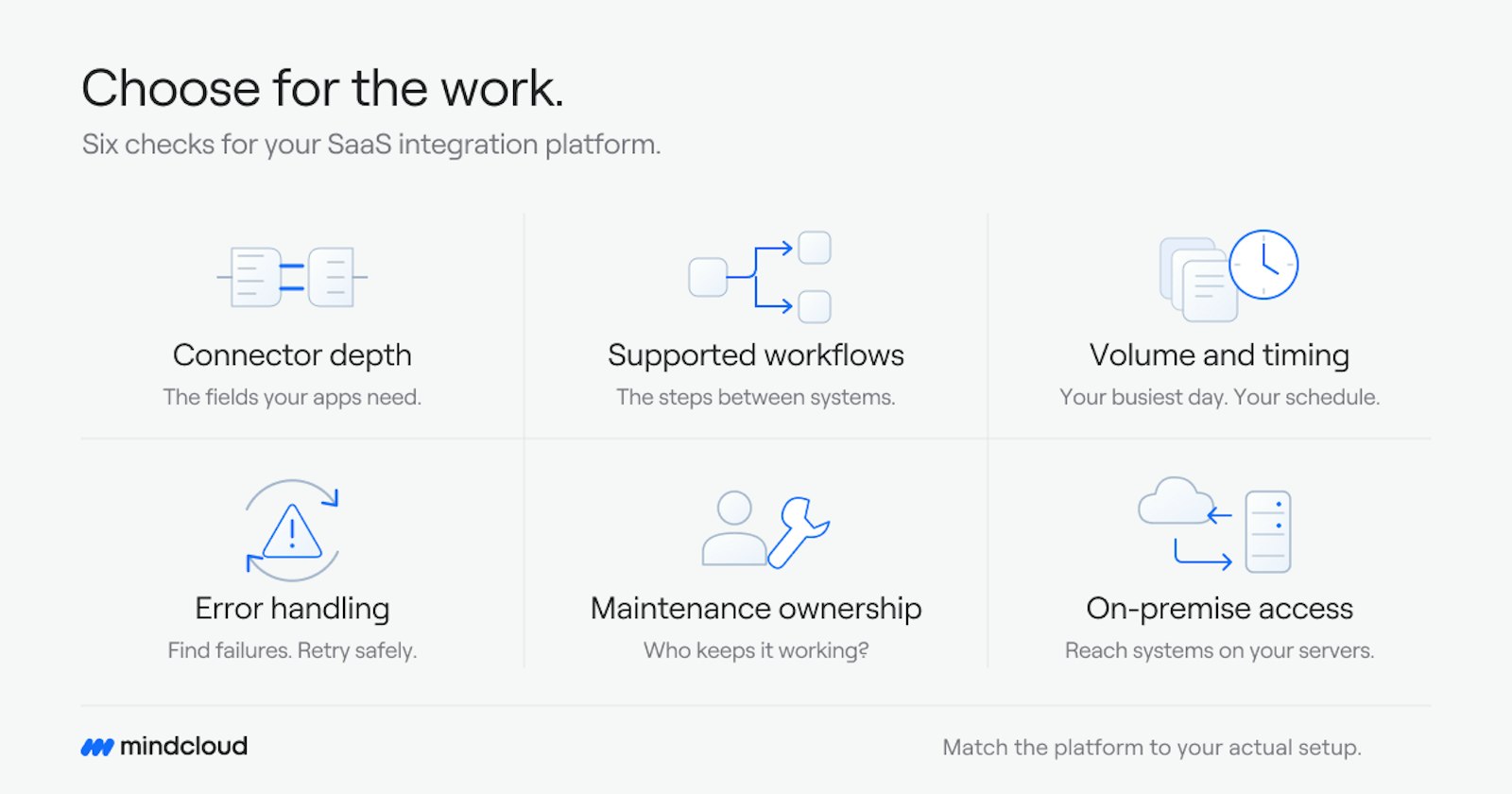
Connector depth for your actual apps. List the apps you use today, starting with the one your business depends on most. Check that the platform already connects to each one, and how deep the connector goes. Does it move the fields you need, in both directions, or only a basic set? A pre-built connector saves work. A platform that needs custom code for a core app will cost more time to set up.
Supported workflows. List the workflows you need, not just the apps. For example, a new customer in one system should reach the systems that need it, without anyone retyping the details. Check that the platform supports those workflows, including the steps, rules, and approvals between systems, and not only single transfers of data.
Data volume and timing. Some connections need to run in real time, for example syncing stock. Others can run on a schedule, for example a daily sales summary. Check that the platform supports both where you need them, and that it can handle the volume your busiest day creates, not only an average day.
Error handling. Ask what happens when a transfer fails. Look for clear error messages, retries, and logs, so a failed transfer can be found and fixed, rather than discovered days later when a customer asks where an order is.
Maintenance ownership. Connectors change when apps change. Someone has to keep them working. Decide, before you buy, whether that is your team, the platform, or a service team, and what that maintenance costs in time and money. A platform that is easy to set up but hard to maintain is not the cheaper option.
Access to any on-premise systems. If a core system still runs on your own servers, a cloud-only platform may not reach it. In that case, check for a hybrid setup, which connects cloud and on-premise systems. Do not assume a SaaS platform reaches a system that is not SaaS.
Work through the six checks with your actual apps and workflows in hand. A platform that passes all six for your setup is a better fit than one that lists more apps in total.
What to avoid
Two mistakes come up often.
First, choosing on connector count alone. A platform can list many apps and still lack a solid connector for the one app your business depends on. Check the specific apps you use, and how deep the connector goes, before deciding.
Second, automating a broken process. If lead routing is unclear today, or if two systems disagree about the same customer, connecting them will move the same problem faster. Fix who owns each step and which system holds the truth for each piece of data first, then build the connection.
What we do here
We build integrations and run them. That is the Full Service side: we scope the work, build the connections, and monitor them after launch. You describe the outcome you want, for example "when a deal closes, accounting and onboarding should already know," and we build it.
For teams that want to build connections themselves, Cirra lets you describe the work in plain language, and it builds the workflow from your connected apps. Cirra connects to 3,400+ apps through one connection layer, so a SaaS connection can reach the CRM, accounting, ecommerce, and support tools around it.
Where to start
If you are not sure which connections to build first, or where manual work is piling up between your SaaS tools, the Integration Health Check looks at your systems and shows where the manual work sits.