Docs

HubSpot - Public App

MindCloud HubSpot Setup Guide

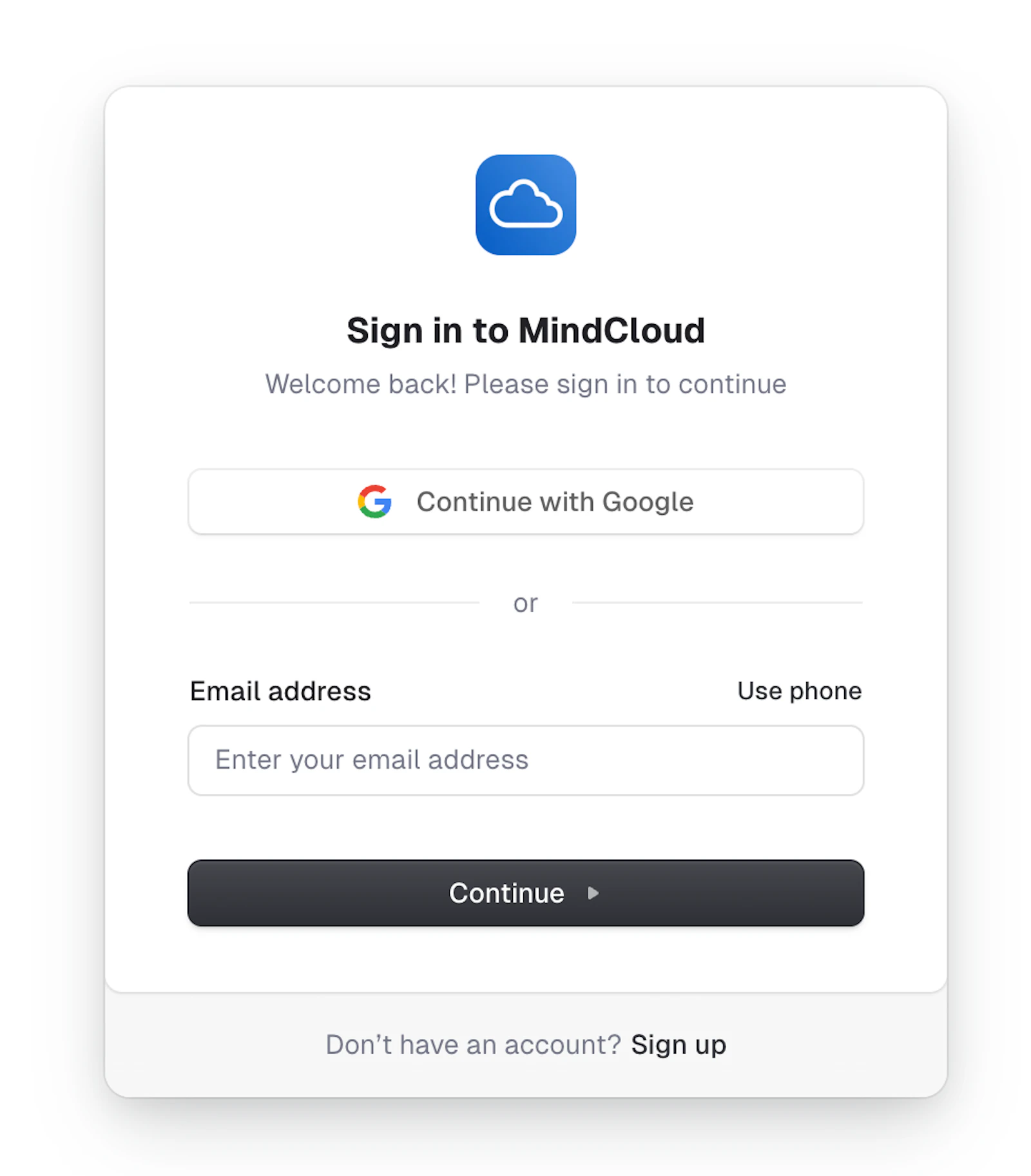
  1. Log into MindCloud

MindCloud HubSpot Setup Guide illustration
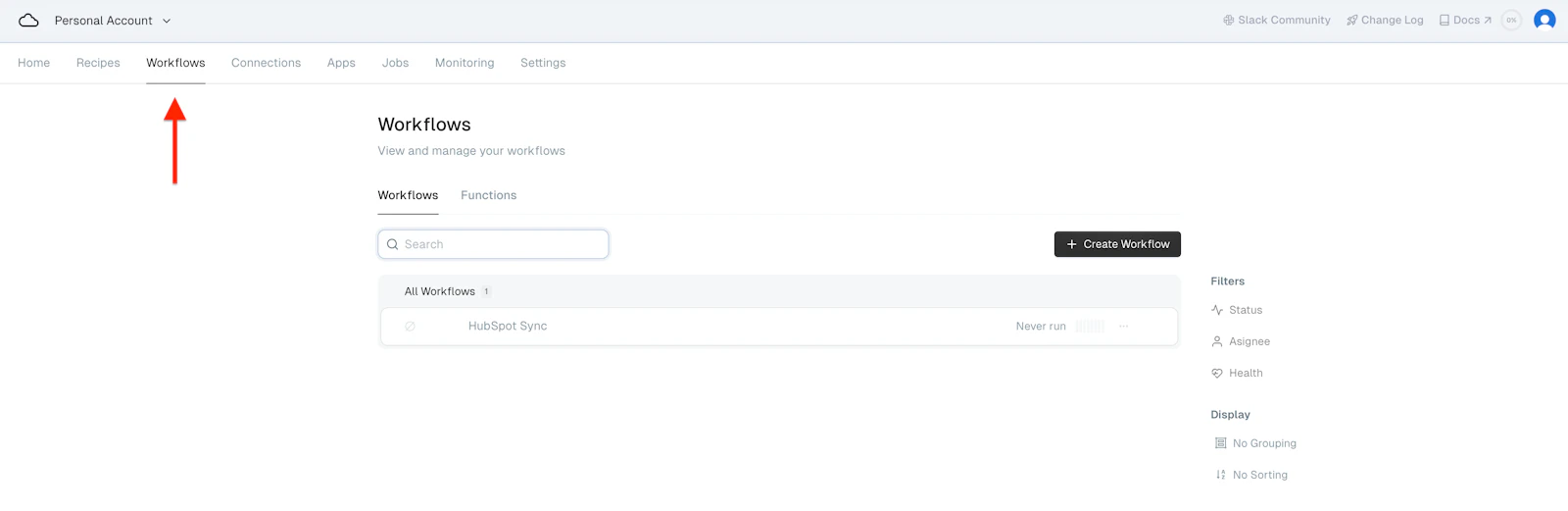
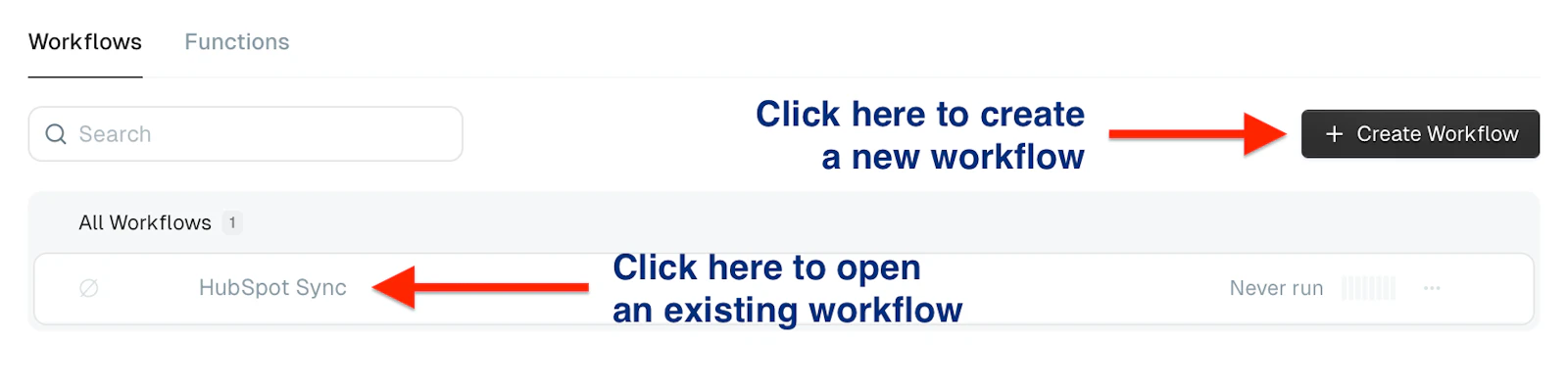
  1. Navigate to Workflows

MindCloud HubSpot Setup Guide illustration
  1. Select an existing workflow or create a new one
MindCloud HubSpot Setup Guide illustration
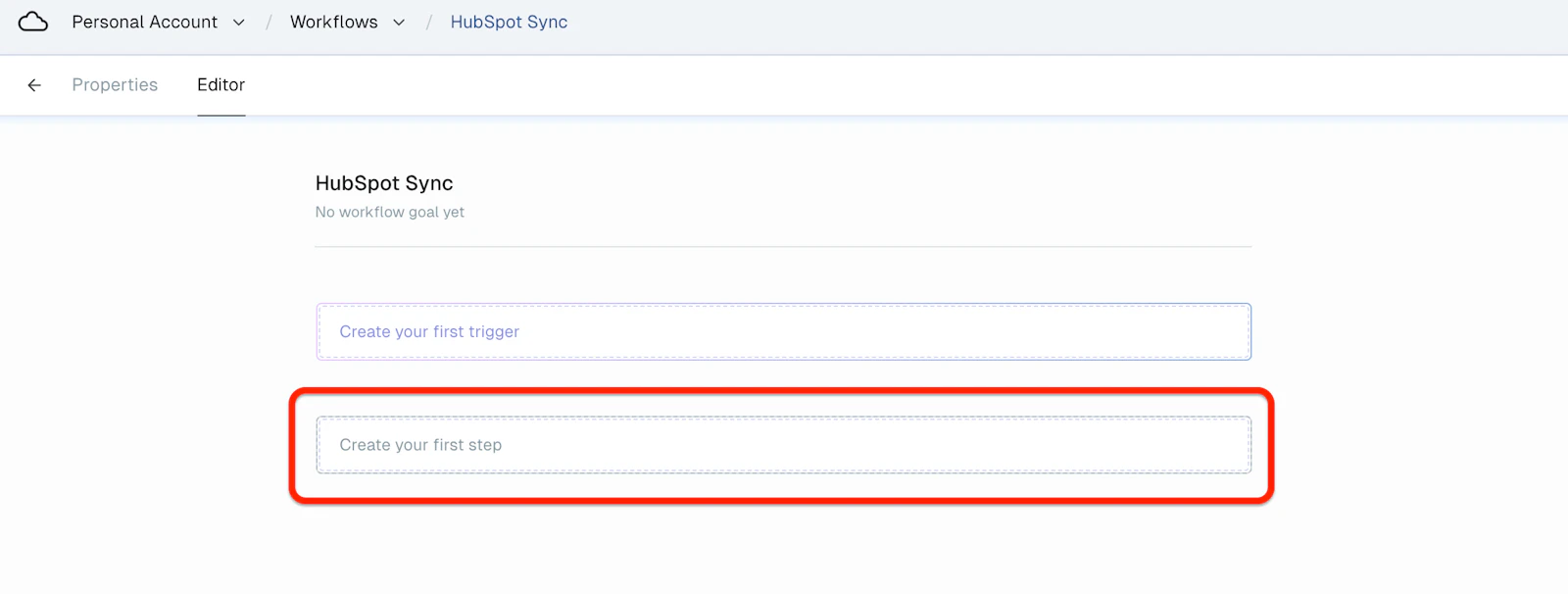
  1. Select “Create your first step.”

MindCloud HubSpot Setup Guide illustration
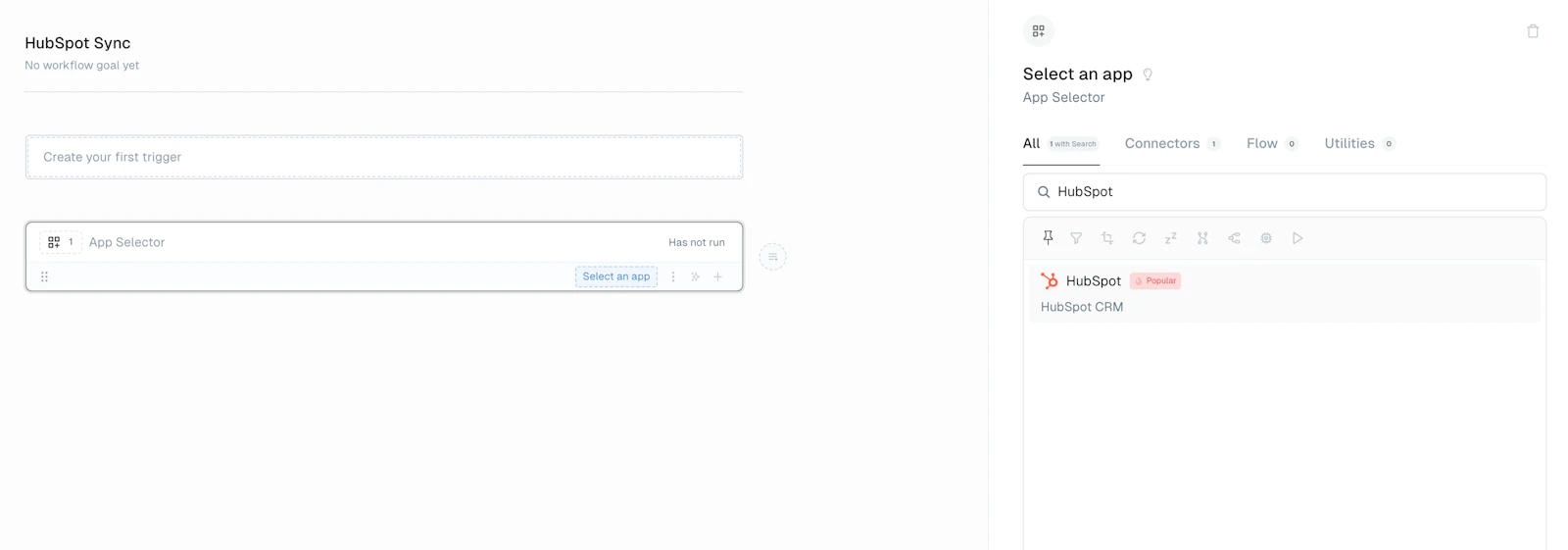
  1. Select “HubSpot” from the list of apps
MindCloud HubSpot Setup Guide illustration
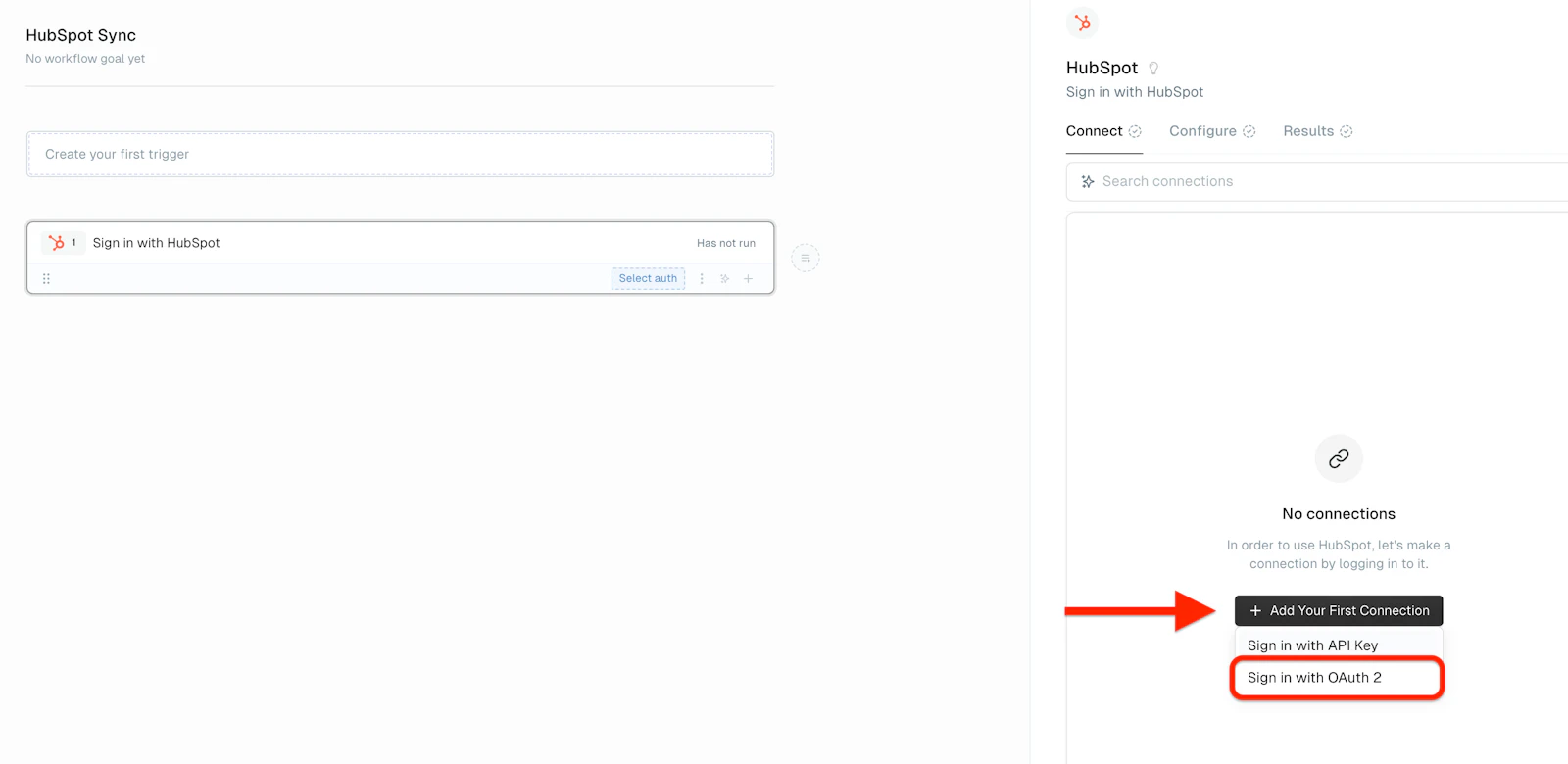
  1. Click on “Add Your First Connection” and choose “Sign in with OAuth 2”
MindCloud HubSpot Setup Guide illustration
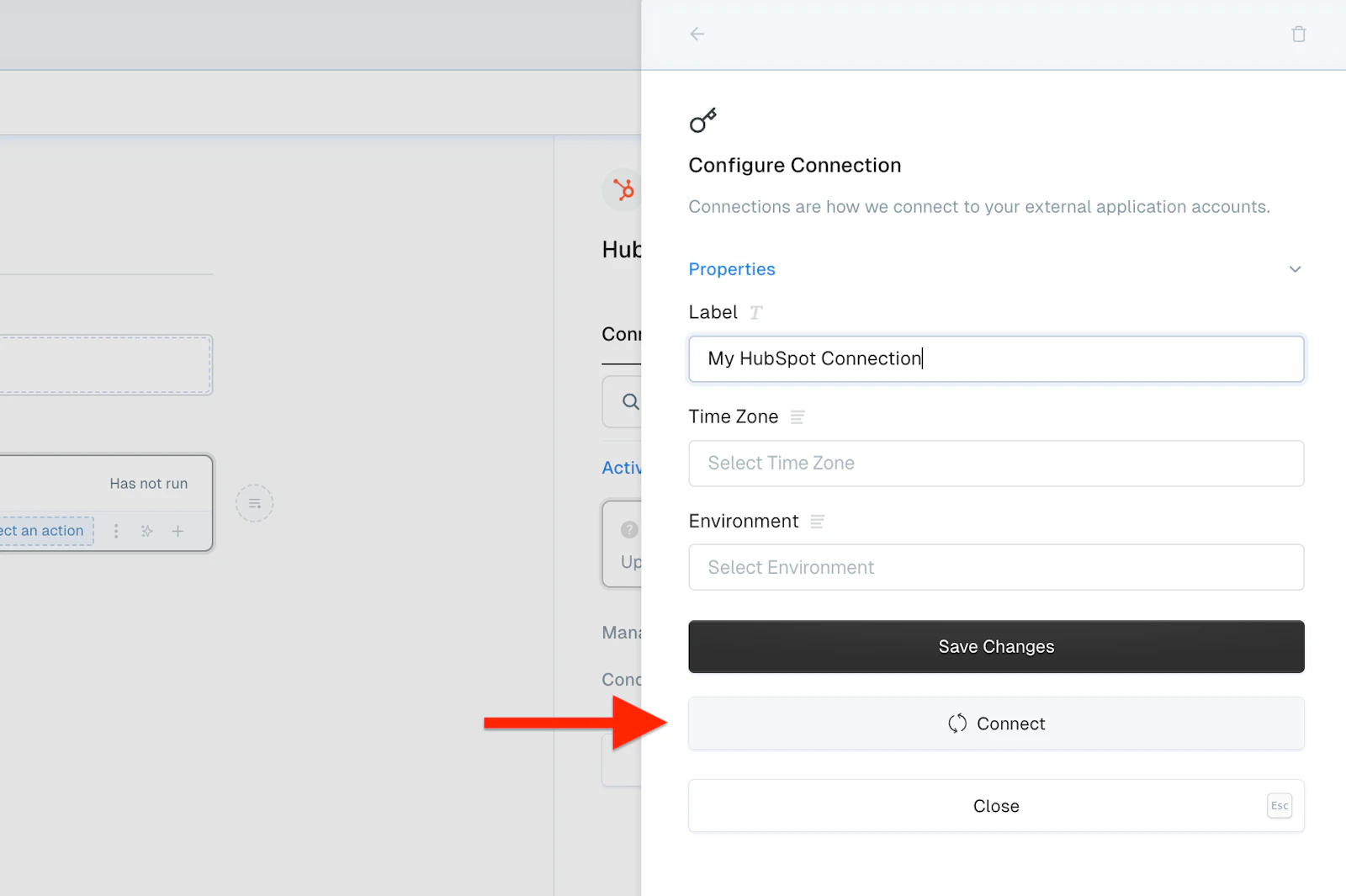
  1. Label the connection and click the “Connect” button
MindCloud HubSpot Setup Guide illustration
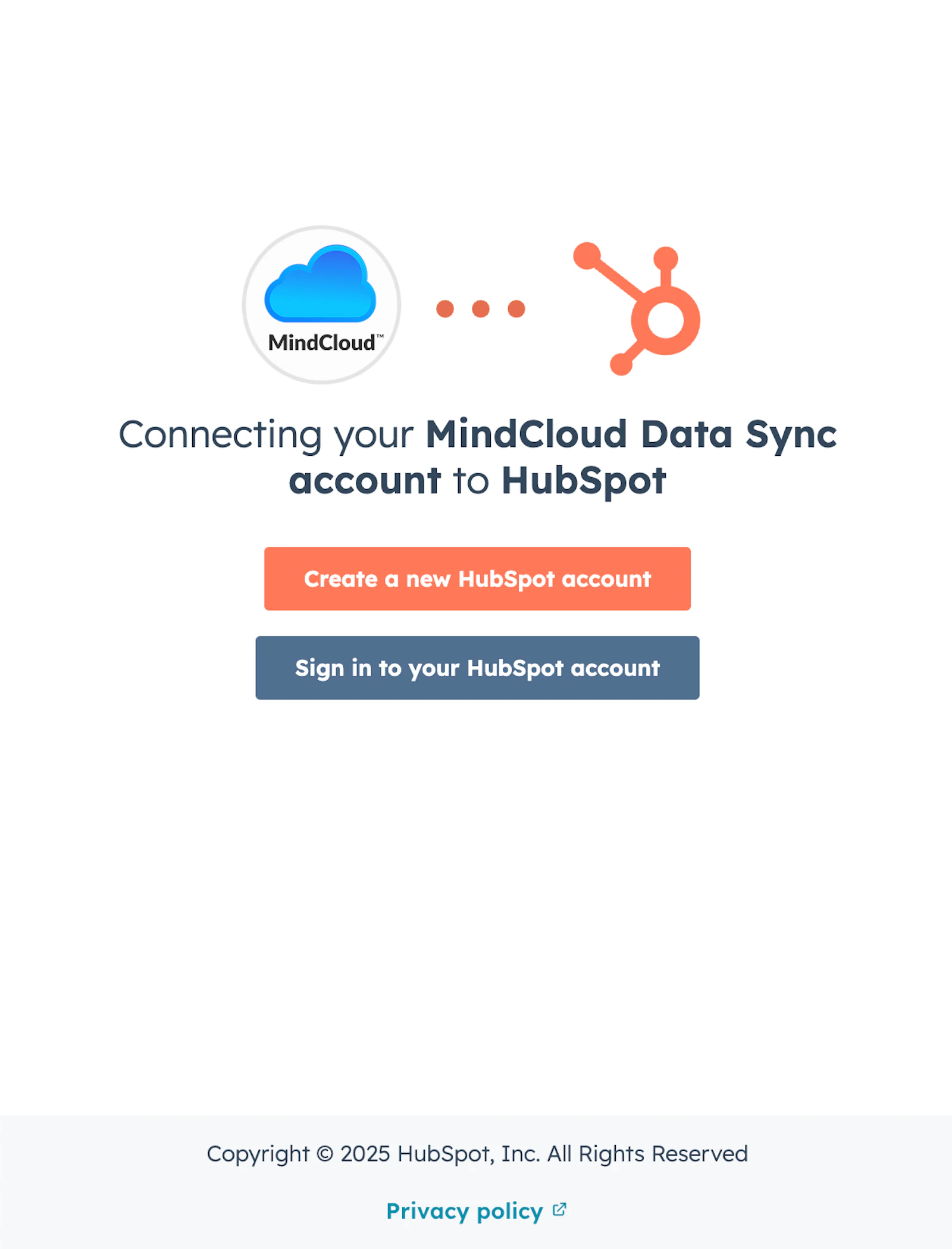
  1. Sign in to HubSpot

MindCloud HubSpot Setup Guide illustration
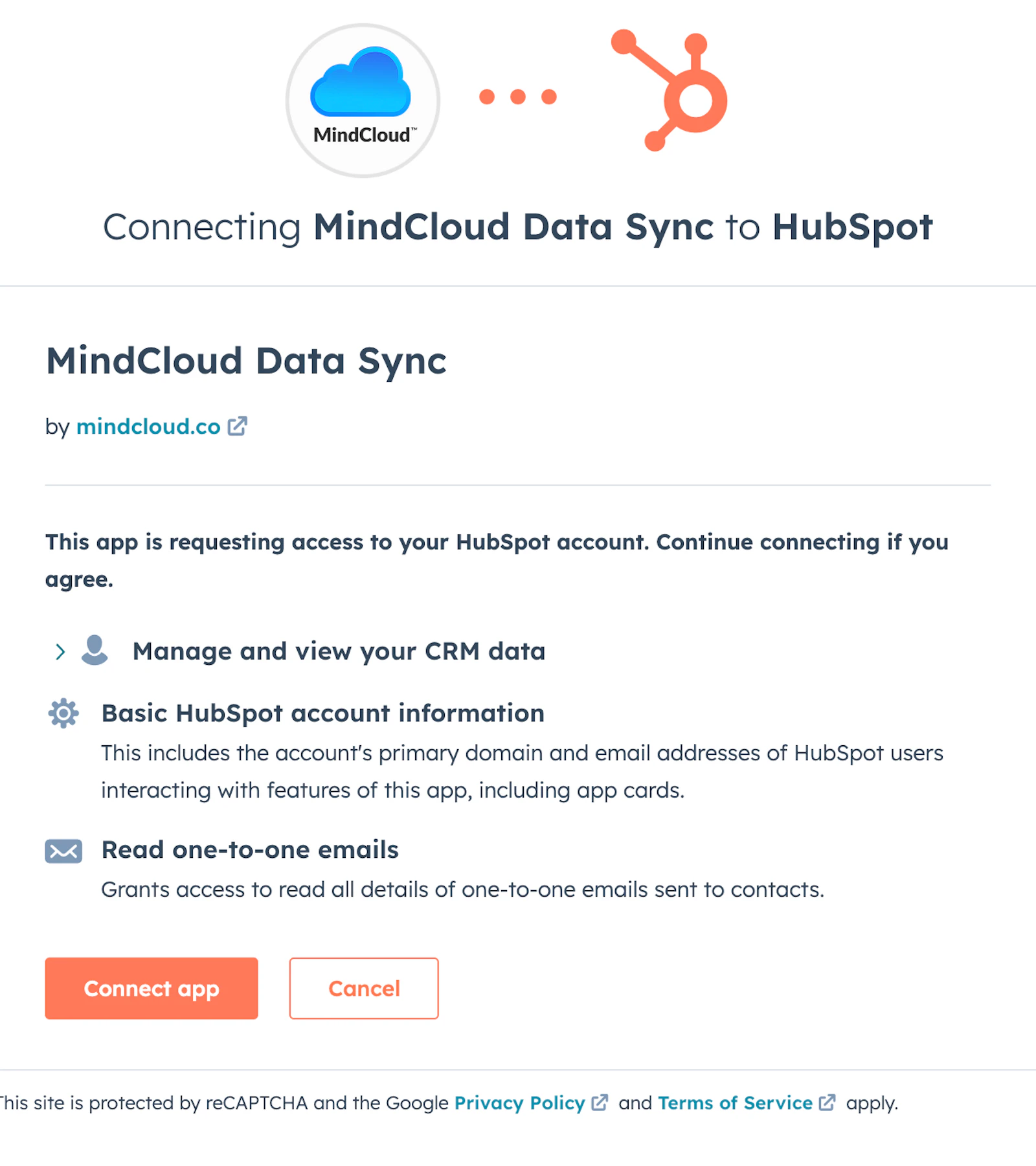
  1. Select “Connect app”

MindCloud HubSpot Setup Guide illustration
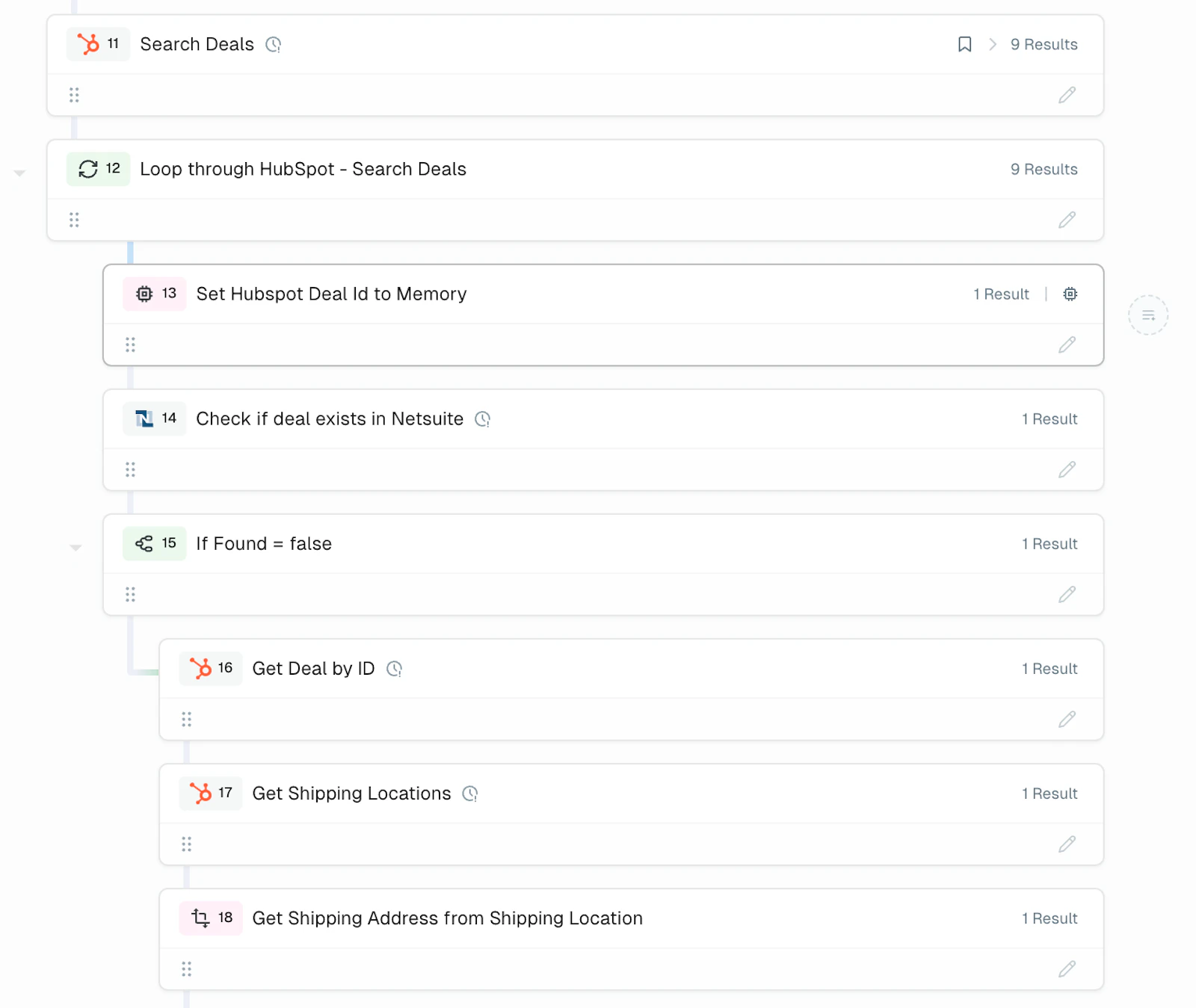
  1. Enjoy using the HubSpot app in MindCloud!
MindCloud HubSpot Setup Guide illustration