

Rithum for Brands
Overview
Setting up Rithum for Brands in MindCloud is a simple and straightforward process, requiring just a few easy steps before use.
Generating a “Refresh Token”
A Refresh Token is a secret like a password that lets a user access Rithum through the API. Take the following steps to generate a Refresh Token.
If you do not have a Rithum Developer account, follow this link to request one: https://complete.channeladvisor.com/DeveloperNetwork/RequestApiDevKey.aspx
Once you have Developer account, log into the Developer Console here:
https://api.channeladvisor.com/DeveloperConsole/Account/DevLogin
Click on the “Add Integration and Request Tokens button
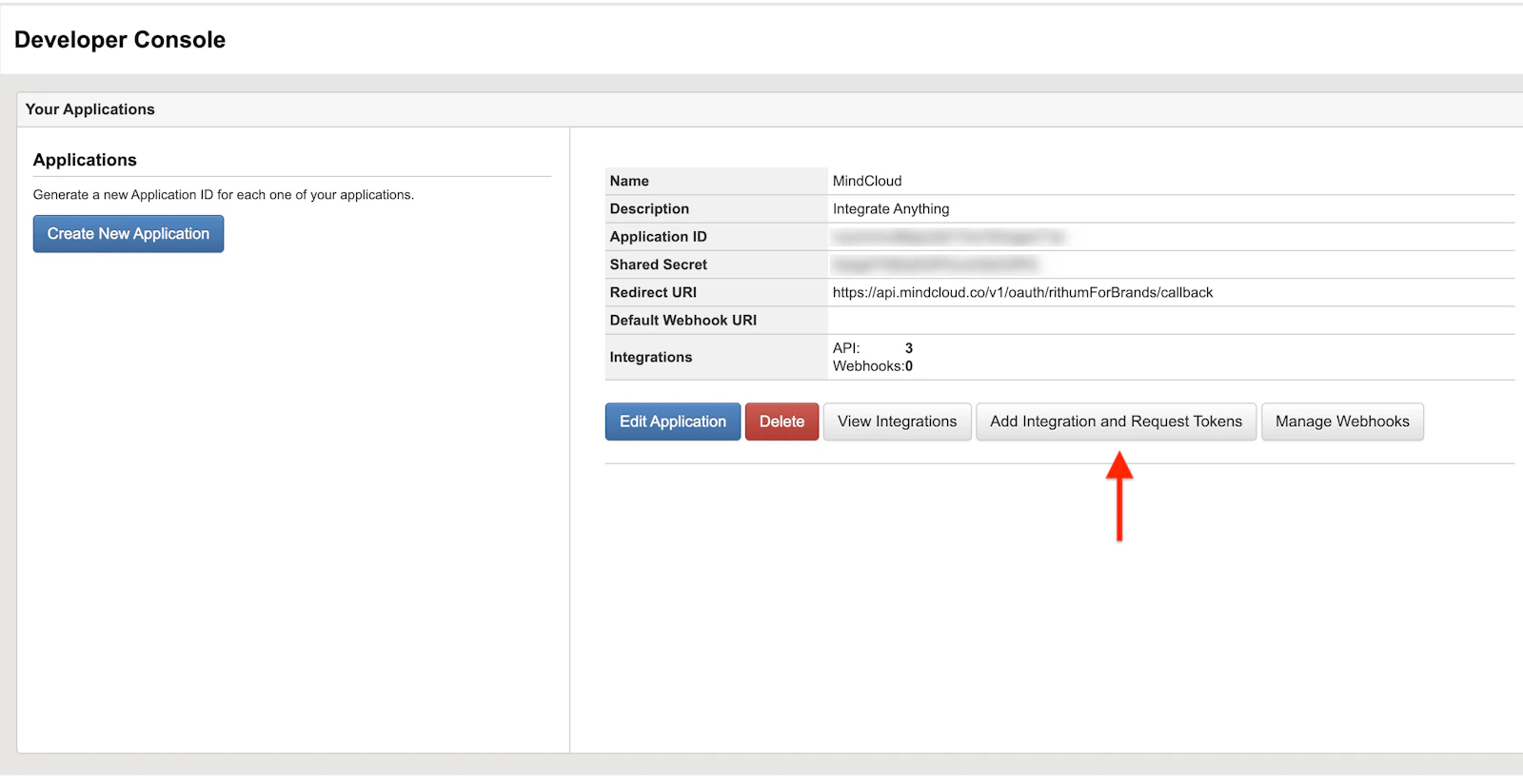
You will be taken through the Rithum sign-in process and asked to grant permissions. At the end of the process you will be given two tokens, an Access Token and a Refresh Token. Copy the Refresh Token and store it in a secure place.
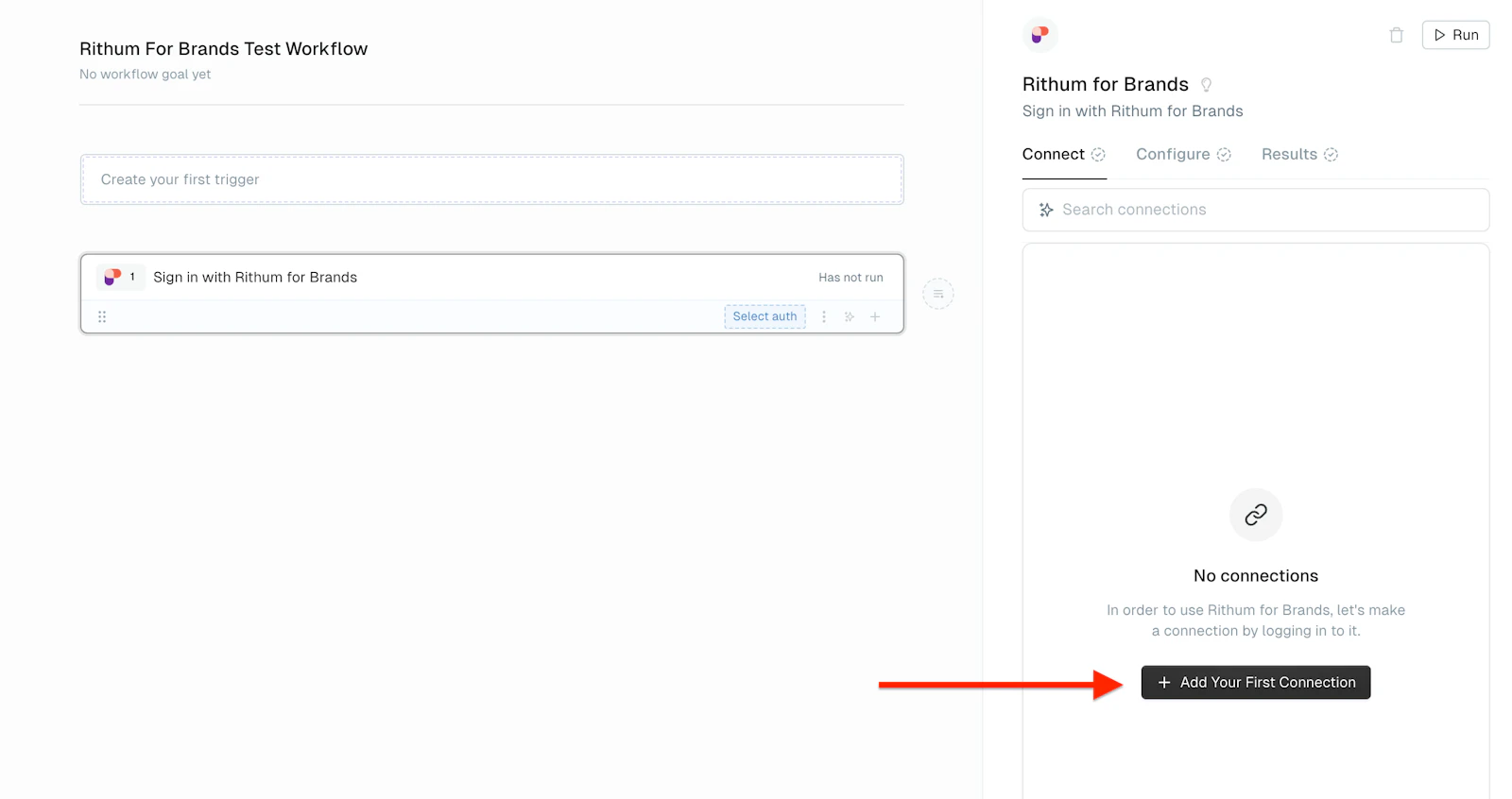
In MindCloud, add the Rithum for Brands app to a workflow and click on the “Add Your First Connection” button in the Connect tab.
Paste the Refresh Token into the Refresh Token field
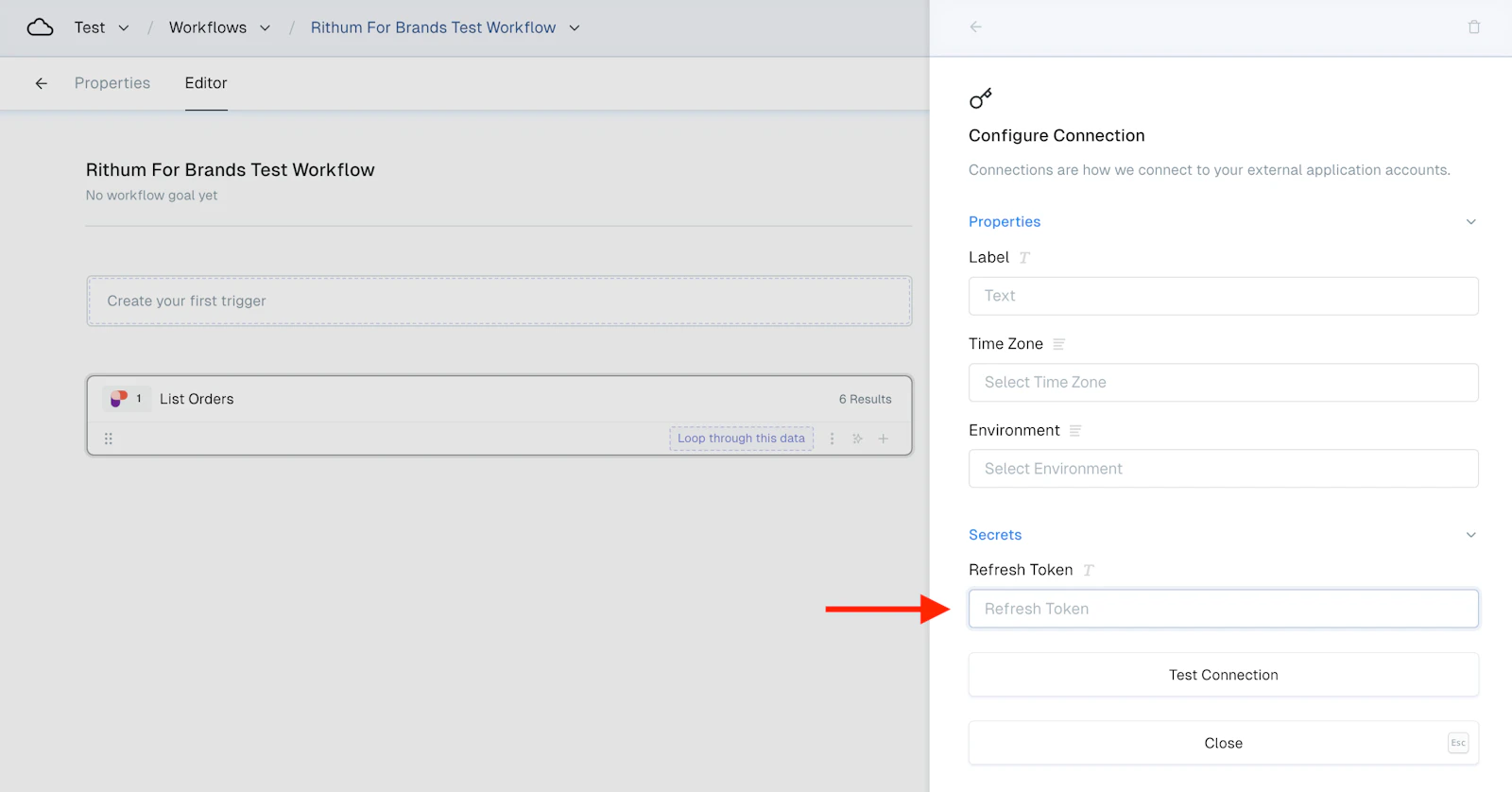
Rithum for Brands is now ready to use.