



















Connect your Connecteam and Housecall Pro. The first step is to give Cirra access to your applications.
Automate tasks across Connecteam with Housecall Pro
Action
Action
Businesses automate real work through MindCloud every day.
Automate your first task
Use MindCloud Cirra to make Connecteam and Housecall Pro talk.
Here are some common ways to automate work between them.
Create shifts in Connecteam for new scheduled jobs in Housecall Pro
Send a Housecall Pro notification when Connecteam receives a high-priority item.
Create a Housecall Pro follow-up from new qualified activity in Connecteam.
How MindCloud automates work
MindCloud uses Cirra to give your workplace superpowers.
Use her to powerhouse through your Connecteam and Housecall Pro work.
Teach Cirra to work between them. Simply explain what you want done between them and how you use them.
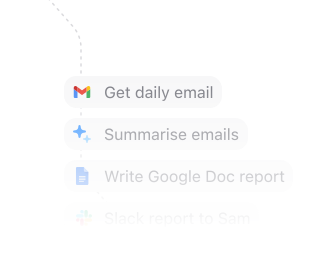
Automate that work. All your apps will talk to each other and work together. No technical knowledge needed.
Every action you need
Access 45 actions between Connecteam and Housecall Pro.
Can’t find an action you need? Let us know.
Get Account InformationRun a get account information action in Connecteam.Create JobsCreate individual or multiple jobs under a specified schedulerDelete JobDelete a single job by its unique identifier.
Currently, deleting a sub-job and/or job with nested sub-jobs is not supported.Get JobRetrieve a single job information by its unique IDList JobsGet a list of job objects relevant to instance id (scheduler id or time clock id).
If unified jobs are disabled, only schedulers are supportedUpdate JobUpdate a single job by its unique identifier. Currently, updating job with nested sub-jobs is not supported.List User UnavailabilitiesRetrieve a list of user unavailabilities, approved time-off requests and assigned shiftsCreate TaskCreate quick task for specified users by their ID, detailing information such as title, due date and description. Attachments for the quick task must first be uploaded via the attachments endpoint.Delete TaskDelete quick task under a specified task boardList Task BoardsRetrieve a list of task boards associated with the accountList TasksRetrieves a list of tasks under a specified task boardUpdate TaskUpdate a quick task under a specified task board. Any new attachments will replace the existing ones.Get Timesheet TotalsRetrieves detailed work records for each employee within a specified date range. This endpoint is designed to support payroll processing by providing total worked hours, categorized by pay rules and resource (if applied in the account settings). Ideal for integrating with external payroll systems to ensure accurate information. The pay rate will be presented in case it is defined within the account. If an automated unpaid break is applied, it will be deducted from the total hours value. In order to retrieve approved paid time-off (PTO) and manual break information, please use the Get time activities endpoint. Hours will be presented in decimal format. The time period is limited to 45 days.List Time ActivitiesRetrieve a list of time activities in under a specified time clock.
Time activities include shift and/or manual breaksList Time ClocksRetrieve a list of time clocks associated with the account


Frequently Asked Questions
New to MindCloud? We've got you. Here are some answers to common questions about how MindCloud works with Connecteam and Housecall Pro.
Related integrations
Explore other ways to connect Connecteam with the apps your team already uses, or browse every Connecteam and Housecall Pro integrations.
Google SheetsGoogle Sheets connects app workflows across your app stack.GmailGmail connects app workflows across your app stack.SlackSlack connects app workflows across your app stack.Google CalendarGoogle Calendar connects app workflows across your app stack.Google DriveGoogle Drive connects app workflows across your app stack.NotionNotion connects app workflows across your app stack.Google FormsGoogle Forms connects app workflows across your app stack.MailchimpMailchimp connects app workflows across your app stack.StripeStripe connects app workflows across your app stack.


Connect all of your apps, not just some of them.
You can’t automate business processes end-to-end if you can only connect to half of them.
 Request an inviteJoin the early access list for the app network built to cover the workflows your business actually runs.
 Talk to an expertWork with a MindCloud specialist to map the systems, actions, and automations your team needs next.
 Get updatesFollow new app coverage, product launches, and practical integration notes from the MindCloud team.