




















Connect your Timely and Google Analytics. The first step is to give Cirra access to your applications.
Automate tasks across Timely with Google Analytics
Action
Action
Businesses automate real work through MindCloud every day.
Automate your first task
Use MindCloud Cirra to make Timely and Google Analytics talk.
Here are some common ways to automate work between them.
Send a Google Analytics notification when Timely receives a high-priority item.
Create a Google Analytics follow-up from new qualified activity in Timely.
Copy new customer details from Timely into Google Analytics.
Update the matching Google Analytics item when a Timely status changes.
Start a review in Google Analytics when Timely flags an exception.
Summarize new Timely activity and save it in Google Analytics.
How MindCloud automates work
MindCloud uses Cirra to give your workplace superpowers.
Use her to powerhouse through your Timely and Google Analytics work.
Teach Cirra to work between them. Simply explain what you want done between them and how you use them.
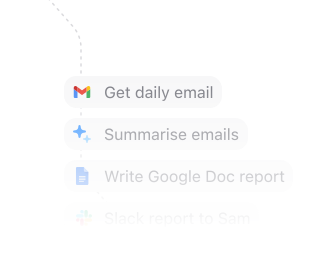
Automate that work. All your apps will talk to each other and work together. No technical knowledge needed.
Every action you need
Access 55 actions between Timely and Google Analytics.
Can’t find an action you need? Let us know.
Get Current Token InfoRetrieves details about the current OAuth access token from Timely.Create ClientCreates a client in Timely.Get ClientRetrieves a client from Timely.List ClientsRetrieves clients from Timely.Update ClientUpdates an existing client in Timely.Create ProjectCreates a project in Timely.Delete ProjectDeletes an existing project from Timely.Get ProjectRetrieves a project from Timely.List ProjectsRetrieves projects from Timely.Update ProjectUpdates an existing project in Timely.Filter ReportsRetrieves filtered reports from Timely.Get Report TotalsRetrieves report totals from Timely.Create TagCreates a tag in Timely.Delete TagDeletes an existing tag from Timely.Get TagRetrieves a tag from Timely.


Frequently Asked Questions
New to MindCloud? We've got you. Here are some answers to common questions about how MindCloud works with Timely and Google Analytics.
Related integrations
Explore other ways to connect Timely with the apps your team already uses, or browse every Timely and Google Analytics integrations.
Google SheetsGoogle Sheets connects app workflows across your app stack.GmailGmail connects app workflows across your app stack.SlackSlack connects app workflows across your app stack.Google CalendarGoogle Calendar connects app workflows across your app stack.Google DriveGoogle Drive connects app workflows across your app stack.NotionNotion connects app workflows across your app stack.Google FormsGoogle Forms connects app workflows across your app stack.MailchimpMailchimp connects app workflows across your app stack.StripeStripe connects app workflows across your app stack.


Connect all of your apps, not just some of them.
You can’t automate business processes end-to-end if you can only connect to half of them.
 Request an inviteJoin the early access list for the app network built to cover the workflows your business actually runs.
 Talk to an expertWork with a MindCloud specialist to map the systems, actions, and automations your team needs next.
 Get updatesFollow new app coverage, product launches, and practical integration notes from the MindCloud team.