






















Connect your Asana and Excel. The first step is to give Cirra access to your applications.
Automate tasks across Asana with Excel
Action
Action
Businesses automate real work through MindCloud every day.
Automate your first task
Use MindCloud Cirra to make Asana and Excel talk.
Here are some common ways to automate work between them.
Send a Excel notification when Asana receives a high-priority item.
Create a Excel follow-up from new qualified activity in Asana.
Copy new customer details from Asana into Excel.
Update the matching Excel item when a Asana status changes.
Start a review in Excel when Asana flags an exception.
Summarize new Asana activity and save it in Excel.
How MindCloud automates work
MindCloud uses Cirra to give your workplace superpowers.
Use her to powerhouse through your Asana and Excel work.
Teach Cirra to work between them. Simply explain what you want done between them and how you use them.
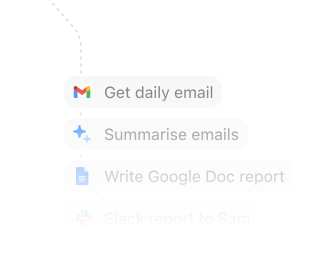
Automate that work. All your apps will talk to each other and work together. No technical knowledge needed.
Every action you need
Access 170 actions between Asana and Excel.
Can’t find an action you need? Let us know.
Add a collaborator to a goalAdds a collaborator to a goal in Asana.Add a custom field to a portfolioAdds a custom field to a portfolio in Asana.Add a custom field to a projectAdds a custom field to a project in Asana.Add a project to a taskAdds a project to a task in Asana.Add a tag to a taskAdds a tag to a task in Asana.Add a user to a teamAdds a user to a team in Asana.Add a user to a workspace or organizationAdds a user to an Asana workspace or organization.Add followers to a taskAdds followers to a task in Asana.Add task to sectionAdds a task to a section in Asana.Add users to a portfolioAdds users to a portfolio in Asana.Add users to a projectAdds users to a project in Asana.Create a custom fieldCreates a custom field in Asana.Create a goalCreates a goal in Asana.Create a goal metricCreates a goal metric in Asana.Create a membershipCreates a membership for an object in Asana.


Frequently Asked Questions
New to MindCloud? We've got you. Here are some answers to common questions about how MindCloud works with Asana and Excel.
Google SheetsGoogle Sheets connects app workflows across your app stack.GmailGmail connects app workflows across your app stack.SlackSlack connects app workflows across your app stack.Google CalendarGoogle Calendar connects app workflows across your app stack.Google DriveGoogle Drive connects app workflows across your app stack.NotionNotion connects app workflows across your app stack.Google FormsGoogle Forms connects app workflows across your app stack.MailchimpMailchimp connects app workflows across your app stack.StripeStripe connects app workflows across your app stack.


Connect all of your apps, not just some of them.
You can’t automate business processes end-to-end if you can only connect to half of them.
 Request an inviteJoin the early access list for the app network built to cover the workflows your business actually runs.
 Talk to an expertWork with a MindCloud specialist to map the systems, actions, and automations your team needs next.
 Get updatesFollow new app coverage, product launches, and practical integration notes from the MindCloud team.