






















Connect your ClickUp and Close. The first step is to give Cirra access to your applications.
Automate tasks across ClickUp with Close
Action
Action
Businesses automate real work through MindCloud every day.
Automate your first task
Use MindCloud Cirra to make ClickUp and Close talk.
Here are some common ways to automate work between them.
Create leads in Close from new tasks in ClickUp
Create tasks in ClickUp for new leads in Close
Create folders in ClickUp for new leads in Close
Create ClickUp subtasks for new Close inbox items
Manage new Close leads by creating tasks in ClickUp
Create new tasks in ClickUp from new tasks in Close
How MindCloud automates work
MindCloud uses Cirra to give your workplace superpowers.
Use her to powerhouse through your ClickUp and Close work.
Teach Cirra to work between them. Simply explain what you want done between them and how you use them.
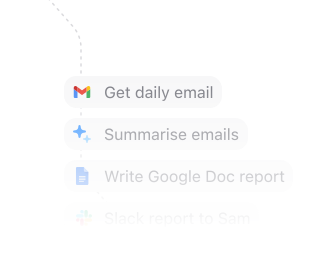
Automate that work. All your apps will talk to each other and work together. No technical knowledge needed.
Every action you need
Access 70 triggers and actions between ClickUp and Close.
Can’t find an action you need? Let us know.
Create ListCreates a new List in a ClickUp Folder.Create List From TemplateCreates a List in ClickUp from a Folder template.Create List ViewCreates a new view for a ClickUp List.Create Task From TemplateCreates a task from a ClickUp task template.Get View TasksRetrieves visible tasks from a ClickUp view.List FoldersView the Folders in a Space.List TasksRetrieves tasks from a specific ClickUp List.Create Task AttachmentUploads a file attachment to a ClickUp task.On New Task CreatedRetrieves tasks from a specific ClickUp List.List List Custom FieldsView the Custom Fields in a specific List.Remove Custom Field ValueRemove data from a Custom field on a task.Set Custom Field ValueAdd data to a Custom field on a task.Search Workspace DocsFinds Docs in a ClickUp Workspace.Get ListRetrieves details for a List from ClickUp.List Folderless ListsView the Lists without a Folder


Frequently Asked Questions
New to MindCloud? We've got you. Here are some answers to common questions about how MindCloud works with ClickUp and Close.
Google SheetsGoogle Sheets connects app workflows across your app stack.GmailGmail connects app workflows across your app stack.SlackSlack connects app workflows across your app stack.Google CalendarGoogle Calendar connects app workflows across your app stack.Google DriveGoogle Drive connects app workflows across your app stack.NotionNotion connects app workflows across your app stack.Google FormsGoogle Forms connects app workflows across your app stack.MailchimpMailchimp connects app workflows across your app stack.StripeStripe connects app workflows across your app stack.


Connect all of your apps, not just some of them.
You can’t automate business processes end-to-end if you can only connect to half of them.
 Request an inviteJoin the early access list for the app network built to cover the workflows your business actually runs.
 Talk to an expertWork with a MindCloud specialist to map the systems, actions, and automations your team needs next.
 Get updatesFollow new app coverage, product launches, and practical integration notes from the MindCloud team.