




















Connect your Google Calendar and Video Indexer (V2). The first step is to give Cirra access to your applications.
Automate tasks across Google Calendar with Video Indexer (V2)
Action
Action
Businesses automate real work through MindCloud every day.
Automate your first task
Use MindCloud Cirra to make Google Calendar and Video Indexer (V2) talk.
Here are some common ways to automate work between them.
When Google Calendar has a new calendar event, update the recording in Video Indexer (V2).
When Google Calendar has a new calendar event, update a recording in Video Indexer (V2).
When Google Calendar has a new event, update the recording in Video Indexer (V2).
When Google Calendar has a new event, update a recording in Video Indexer (V2).
When Google Calendar has a new calendar event, update the recording in Video Indexer (V2).
When Google Calendar has a new calendar event, update a recording in Video Indexer (V2).
How MindCloud automates work
MindCloud uses Cirra to give your workplace superpowers.
Use her to powerhouse through your Google Calendar and Video Indexer (V2) work.
Teach Cirra to work between them. Simply explain what you want done between them and how you use them.
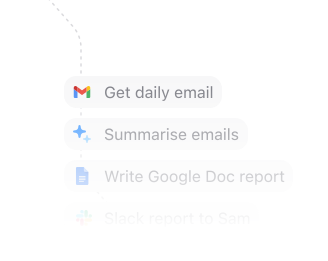
Automate that work. All your apps will talk to each other and work together. No technical knowledge needed.
Every action you need
Access 45 triggers and actions between Google Calendar and Video Indexer (V2).
Can’t find an action you need? Let us know.
Create ACL RuleCreates a new calendar ACL rule in Google Calendar.Delete ACL RuleDeletes an existing calendar ACL rule from Google Calendar.Get ACL RuleRetrieves a calendar ACL rule from Google Calendar.List ACL RulesRetrieves calendar ACL rules from Google Calendar.Update ACL RuleUpdates an existing calendar ACL rule in Google Calendar.Add Calendar to ListAdds an existing calendar to the Google Calendar list.Clear CalendarDeletes all events from a primary Google Calendar.Create CalendarCreates a secondary calendar in Google Calendar.Get Calendar List EntryRetrieves a calendar list entry from Google Calendar.Get Calendar MetadataRetrieves calendar metadata from Google Calendar.List CalendarsRetrieves calendar list entries from Google Calendar.Patch Calendar List EntryUpdates a calendar list entry in Google Calendar.Remove Calendar from ListRemoves a calendar from the Google Calendar list.Update Calendar List EntryUpdates an existing calendar list entry in Google Calendar.On Calendar Event UpdatedRun an on calendar event updated action in Google Calendar.

Frequently Asked Questions
New to MindCloud? We've got you. Here are some answers to common questions about how MindCloud works with Google Calendar and Video Indexer (V2).
Related integrations
Explore other ways to connect Google Calendar with the apps your team already uses, or browse every Google Calendar and Video Indexer (V2) integrations.
Google SheetsGoogle Sheets connects app workflows across your app stack.GmailGmail connects app workflows across your app stack.SlackSlack connects app workflows across your app stack.Google DriveGoogle Drive connects app workflows across your app stack.NotionNotion connects app workflows across your app stack.Google FormsGoogle Forms connects app workflows across your app stack.MailchimpMailchimp connects app workflows across your app stack.StripeStripe connects app workflows across your app stack.CalendlyCalendly connects app workflows across your app stack.


Connect all of your apps, not just some of them.
You can’t automate business processes end-to-end if you can only connect to half of them.
 Request an inviteJoin the early access list for the app network built to cover the workflows your business actually runs.
 Talk to an expertWork with a MindCloud specialist to map the systems, actions, and automations your team needs next.
 Get updatesFollow new app coverage, product launches, and practical integration notes from the MindCloud team.